

Welcome to the H2 2026 Product Release
Discover new platform enhancements that deliver greater portfolio visibility, simpler account management, and faster property data workflows.
NEW
INSIGHTS PAGE
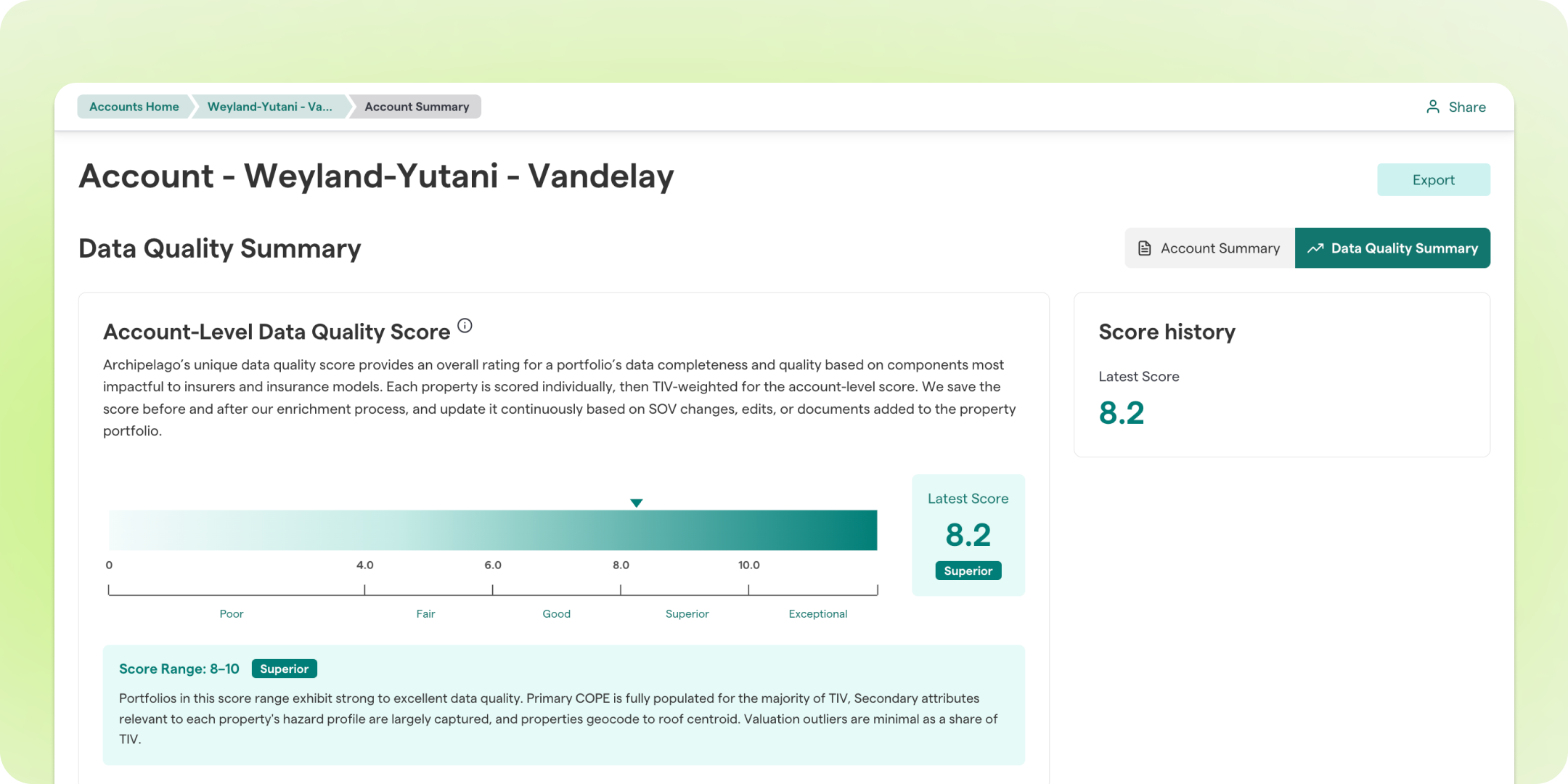
The new Insights page gives you an immediate view of your portfolio through dedicated Account Summary and Data Quality Summary tabs, helping you better understand your exposure and the overall health of your data before diving into individual properties.
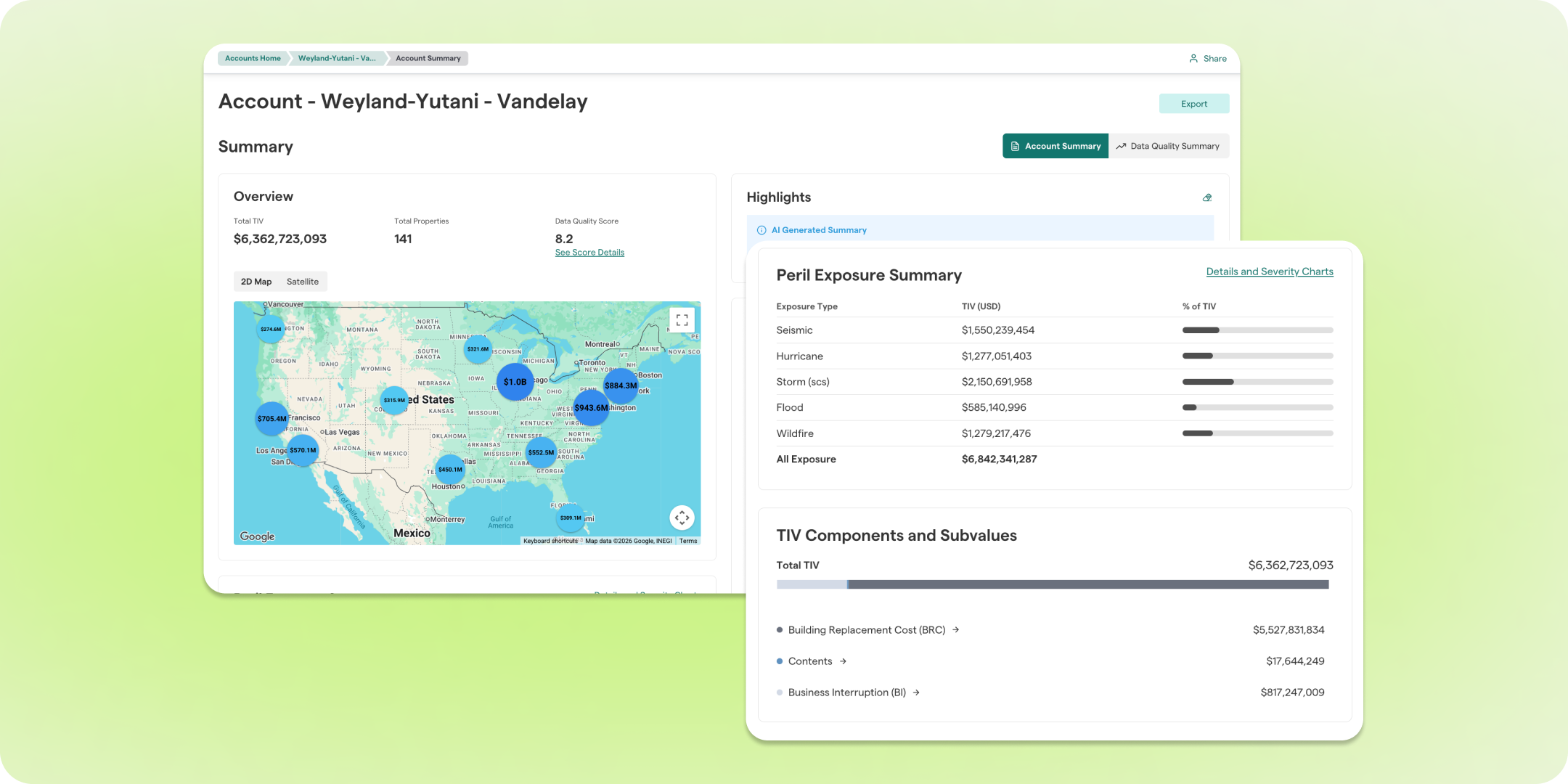
Account Summary
Quickly visualize your portfolio through interactive charts and dashboards, including:
- Peril Exposure Summary highlighting your highest-risk hazards
- Interactive portfolio map
- Primary COPE distributions
- Total Insured Value (TIV) breakdowns
Data Quality Summary
Monitor the health of your portfolio with visual metrics that help you understand both current quality and ongoing improvements.
- Portfolio-wide Data Quality Score
- Quality score distribution across locations
- Before-and-after comparisons showing how Archipelago enriches your data over time
UPGRADED
ACCOUNTS HOME PAGE & STREAMLINED NAVIGATION
We've refreshed the account experience to help you navigate faster and manage your portfolios more efficiently. A cleaner Accounts Home page and streamlined navigation make it easier to find what you need with fewer clicks.
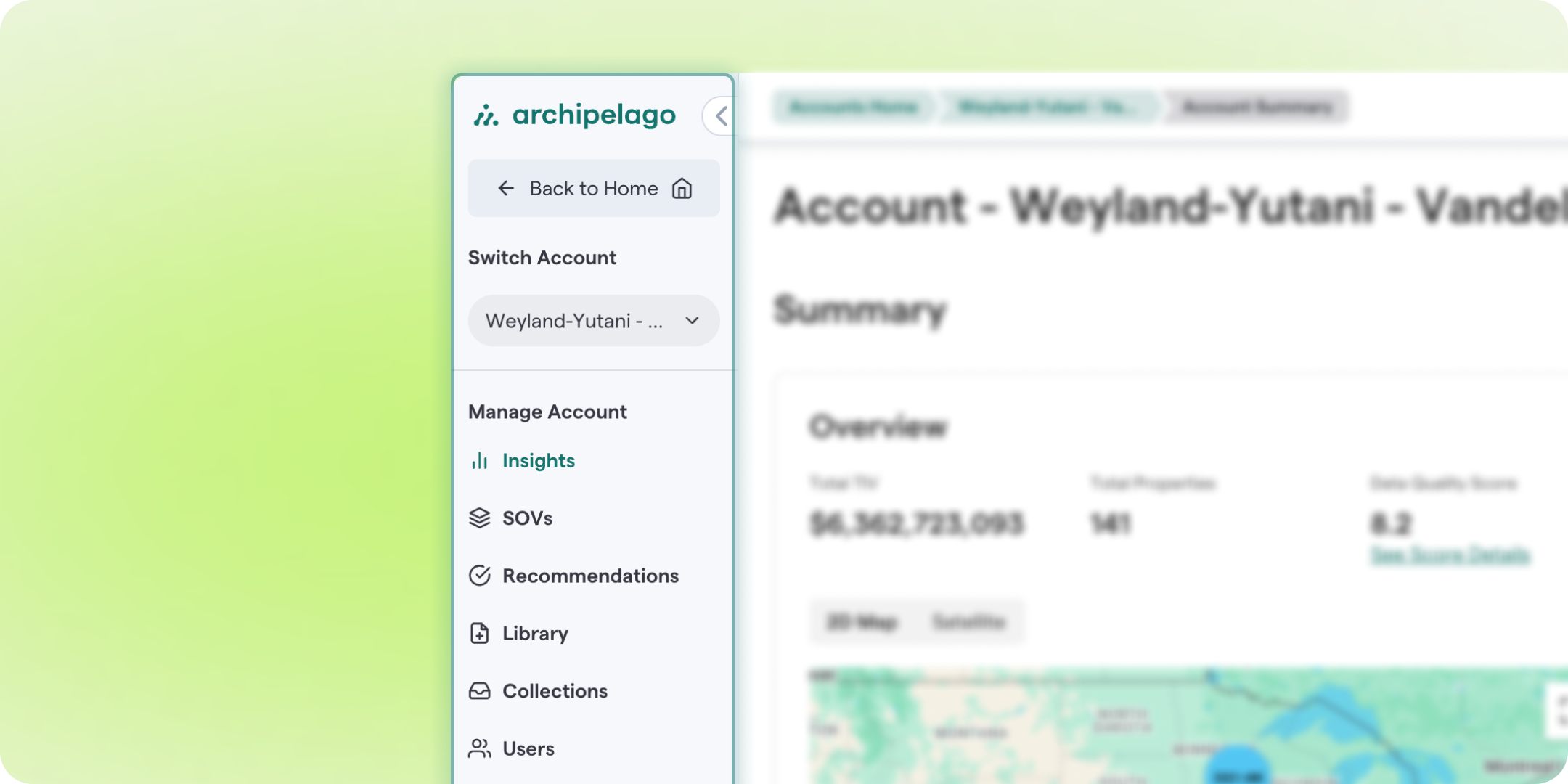
Manage your accounts from a cleaner, more organized workspace designed to help you get where you need to go faster.
- Simplified Accounts Home page
- Cleaner, more intuitive account overview
- Streamlined navigation menus
- Faster access to key workflows with fewer clicks
UPGRADED
SOV WORKSPACE
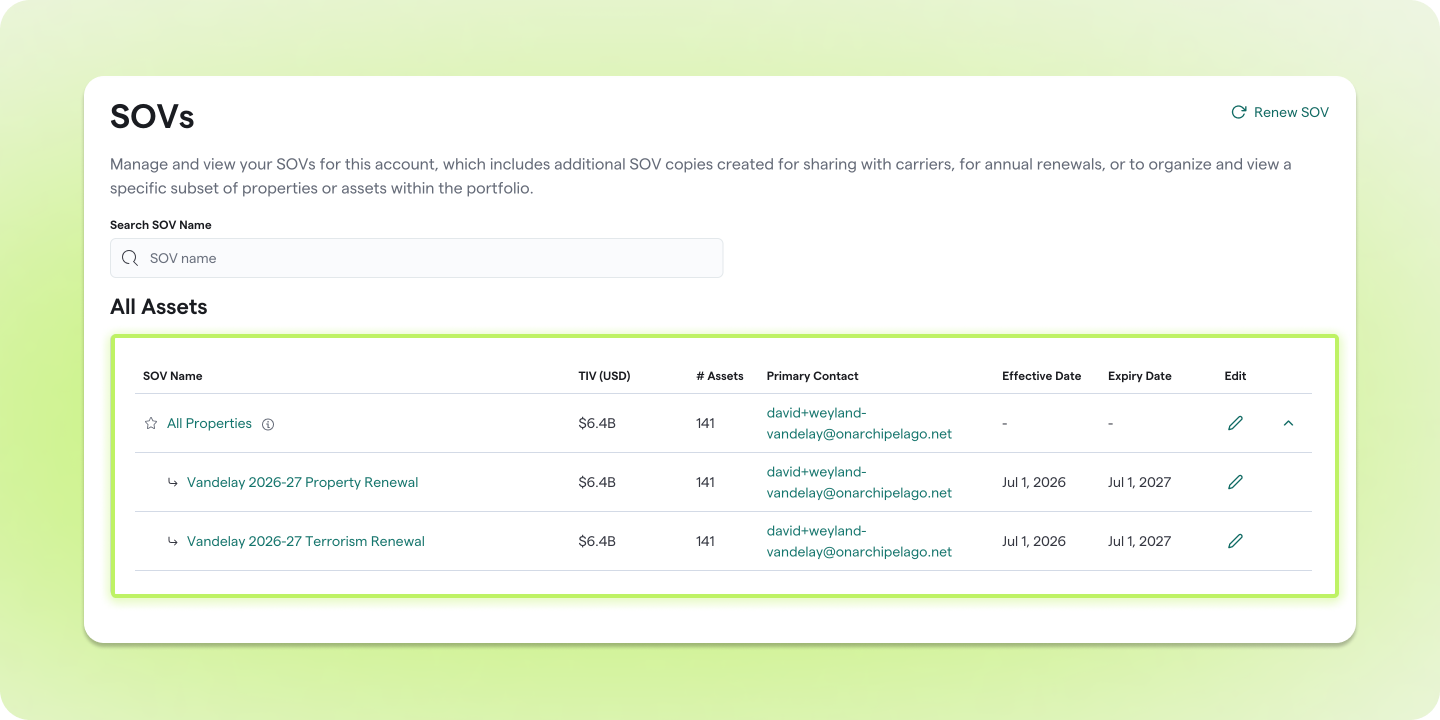
The redesigned SOV Workspace makes it easier to organize and manage multiple schedules of values within an account with a cleaner, more intuitive layout.
- Organize SOVs by portfolio subsets
- Group renewal years in one place
- Separate coverage-specific renewals, such as Property and Terrorism
- Navigate multiple SOVs more efficiently with an easier-to-read interface
NEW
PROPERTY REVISION HISTORY
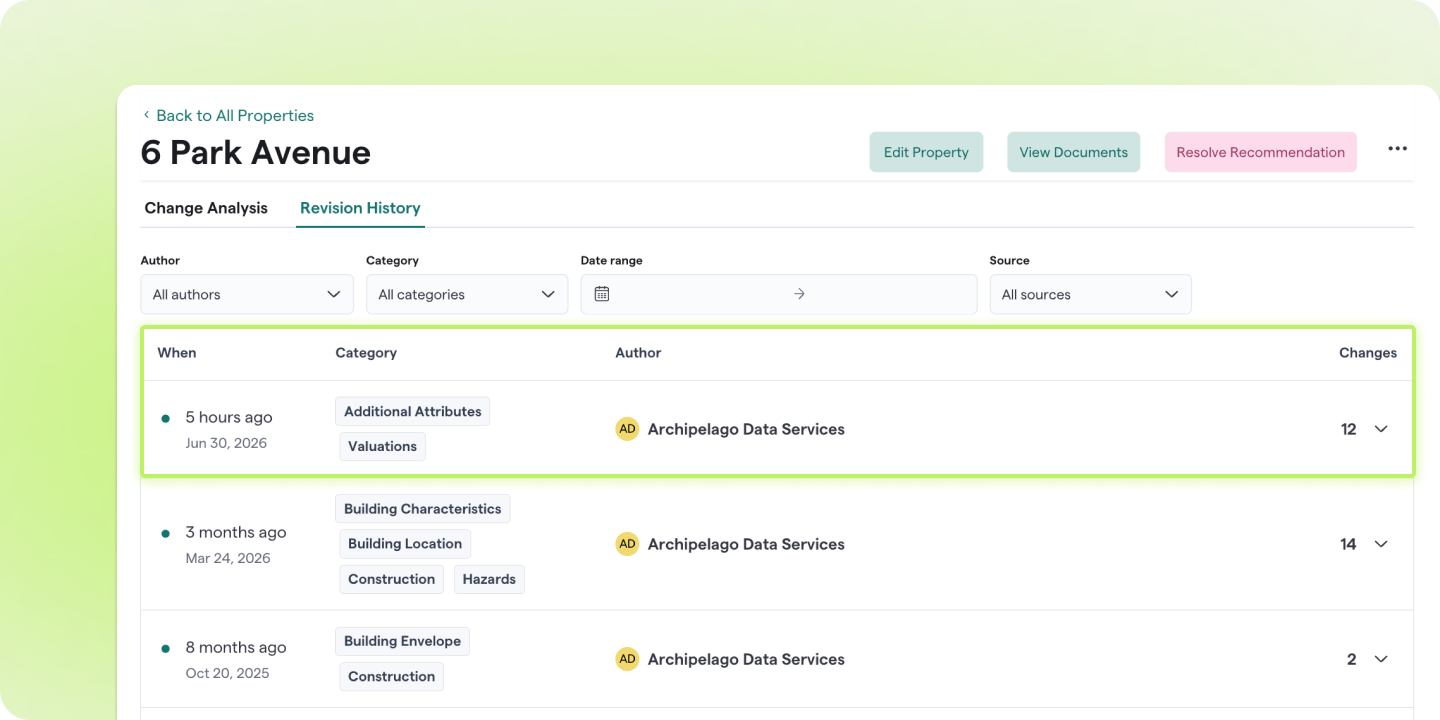
Property Revision History gives you complete visibility into how your property data changes over time, making it easier to understand every update made to a location.
- View a complete revision history for every property
- See exactly what information changed and when
- Better understand how your property data has evolved over time
- Gain greater confidence in your property's data lineage
NEW
BULK VALUATION TRENDING WIZARD
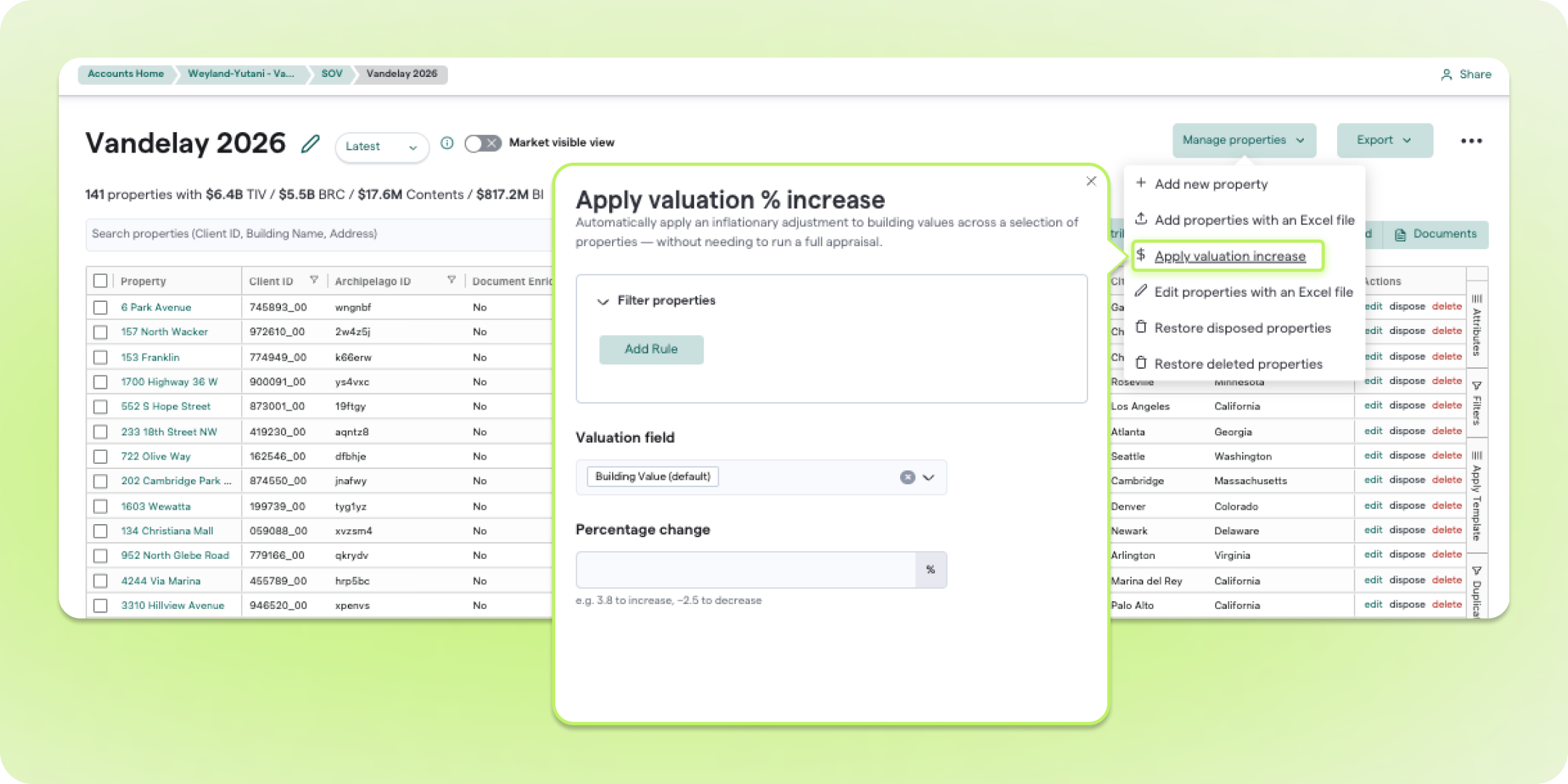
Keeping property valuations current is now faster than ever with the new Bulk Valuation Trending Wizard.
- Apply percentage-based valuation increases across multiple properties at once
- Update a selected valuation field in a single workflow
- Eliminate repetitive property-by-property edits
- Keep valuations current with a faster, more scalable process
NEW
TOOLTIPS & FIELD DEFINITIONS
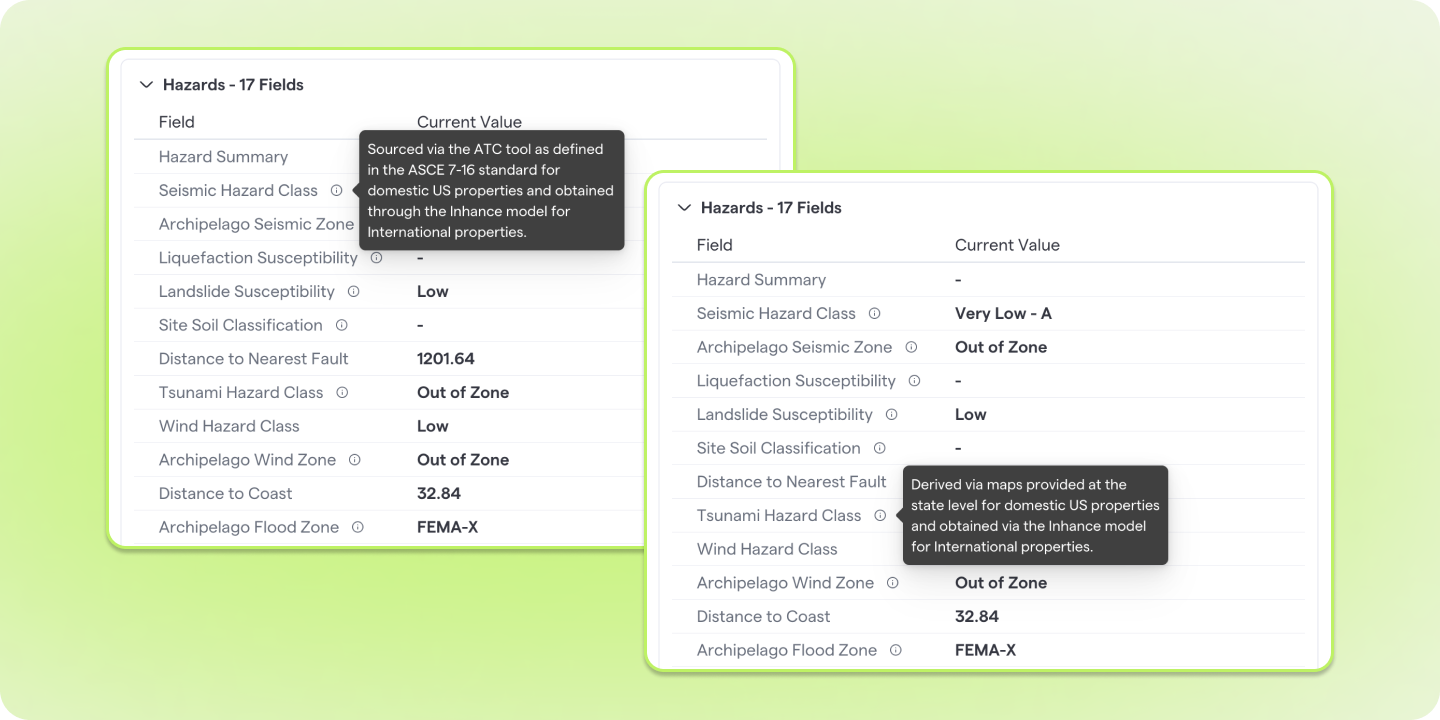
We've added additional guidance throughout the platform to help you better understand your property data and use Archipelago with greater confidence.
- View inline tooltips for derived fields, including external data such as Hazard Zones
- Access clearer explanations for externally sourced data
- Reference updated field definitions and terminology
- Explore an expanded user guide and glossary for additional support