TL;DR
P&C brokers spend significant time extracting data from SOVs, loss runs, and inspection reports: work that slows down renewals and introduces errors. Insurance document automation replaces this with AI-powered systems that capture, validate, and organize exposure data automatically. The result is faster processing, cleaner submissions, and more time for brokers to focus on clients rather than paperwork.
Property and casualty brokers waste hours extracting data from SOVs, processing loss runs, and updating exposure information across spreadsheets. Insurance document automation changes this by automatically capturing, validating, and organizing P&C data with better accuracy than manual methods. You get your time back to focus on clients and business growth instead of document preparation.
Archipelago's Agent automatically handles everything from property condition assessments to income statements. This AI solution processes P&C exposure data, spots issues early, and delivers clean information for better client outcomes. The Agent gives you complete control over remediation while automating repetitive tasks. Document automation for insurance works whether you're managing complex commercial accounts or routine renewals. You can automate insurance document workflows without losing oversight of the process.

AI Agent for Insurance Brokers
-

Ingests and repairs your data automatically
SOVs, Loss Runs, Revenue, Payrolls, Vehicle lists, and more
-

Remediates issues before they hit modeling
Fix problems, explain impact, and track progress
-

Provides action-oriented recommendations
Prioritize open items and resolve gaps faster
AI Agent for Insurance Brokers
-
Ingests and repairs your data automatically
SOVs, Loss Runs, Revenue, Payrolls, Vehicle lists, and more
-
Remediates issues before they hit modeling
Fix problems, explain impact, and track progress
-
Provides action-oriented recommendations
Prioritize open items and resolve gaps faster
AI Assistants for Insurance Brokers 4 Order Test
-
SOV Manager 4
Your Personal AI Risk Analyst that fixes your SOV and populates data automatically
-
PreCheck 4
Your AI Underwriting Assistant that reviews and improves your submission before it hits the market
-
Property Hub 4
Offers advanced insights and access to industry-leading data sources
AI Agent for Insurance Brokers 3
-
SOV Manager 3
Your Personal AI Risk Analyst that fixes your SOV and populates data automatically
-
PreCheck 3
Your AI Underwriting Assistant that reviews and improves your submission before it hits the market
-
Property Hub 3
Offers advanced insights and access to industry-leading data sources
Understanding Insurance Document Automation Fundamentals
The insurance brokerage business runs on paperwork. Every day, P&C brokers juggle mountains of documents, from SOVs and loss runs to inspection reports and financial statements. Insurance document automation changes this equation entirely, replacing time-consuming manual processes with intelligent systems that handle document processing automatically.
What Is Insurance Document Automation?
Insurance document automation uses AI and machine learning to capture, process, and organize your documents without requiring manual work. These systems can read everything from property condition assessments and valuations to seismic reports and income statements, pulling out the specific data points your brokerage needs.
The technology works with both predictable documents like standard application forms and complex materials such as engineering reports or inspection narratives. The system learns to recognize document patterns and spot the information you need, and it converts everything into organized, searchable formats that connect directly with your existing broker management systems.
Key Components of Automated Document Processing
Document automation for insurance combines several technologies that work as a team. Optical character recognition (OCR) takes scanned documents and images and turns them into text that computers can read and process. Natural language processing (NLP) and Large Language Models (LLMs) then step in to help teams understand what that text actually means in context.
AI-powered validation systems check the extracted information against your business rules and compare it with historical patterns to catch potential errors before they become problems. The system also includes smart routing features that automatically send processed documents to the right team members based on document type, specific client needs, or issues that need human attention.
Why Document Automation Matters for P&C Brokers
Manual document processing creates serious bottlenecks in your brokerage operations. Your team spends countless hours pulling data from carrier submissions, updating exposure information, and preparing documents for underwriting review. These repetitive tasks eat up time that could be spent building client relationships and growing your business.
Automated systems flip this script completely. Account preparation that consumed days of staff time now runs in under 24 hours, which means faster responses to client requests and quicker turnaround times with carriers. The technology also eliminates the errors that creep in during manual data entry, so underwriters receive more accurate information, and you get better quotes. This efficiency boost lets your team manage larger client portfolios while actually improving the quality of the service you provide.
Core Benefits of Document Automation for Insurance
When you move from manual document processing to automated systems, you'll see measurable improvements across your entire brokerage operation. These benefits don't just happen once: they keep building over time, positively influencing everything from client satisfaction to your profit margins.
Processing Speed and Efficiency Gains
Insurance document automation dramatically cuts down the time you spend on routine paperwork tasks. Work that used to eat up days of your team's time now completes in under 24 hours. Your team can handle SOVs, loss runs, and exposure data without the usual headaches of digging through email chains, pulling information out manually, and checking details across multiple sources.
You'll really notice the speed boost when renewal season hits. Instead of your staff pulling all-nighters to meet deadlines, automated systems can take care of most document prep work while your team handles what matters most: talking with clients and managing accounts strategically. This efficiency jump means you can handle more accounts without drowning your team in extra work.
Accuracy and Error Reduction
Manual data entry opens the door for mistakes that can mess up underwriting decisions and strain client relationships. Simple typos in coverage amounts, incorrect policy dates, or decimal points in the wrong place create real headaches when carriers review what you've submitted. Document automation for insurance eliminates these human slip-ups by pulling information straight from source documents and checking it against smart rules.
The consistency you get from automation also makes you look better to carriers. When underwriters get clean, accurate submissions from your brokerage, they can process quotes faster and don't need to circle back with as many questions. This reliability builds trust and can put you ahead of the competition when things get tight.
Cost Savings and Resource Optimization
Document automation for insurance brings significant cost benefits that go way beyond just saving on labor. Your staff spends less time on repetitive tasks and more time on work that actually brings in revenue. Administrative costs drop because you don't need as many people to handle the same amount of documentation work.
And the resource optimization reaches beyond immediate cost savings. Your experienced staff can focus on complex problem-solving, building stronger client relationships, and developing new business instead of getting stuck with data entry tasks. This shift often leads to happier employees who stick around longer, which cuts down on recruiting and training costs down the road. When you automate insurance document workflows, you're saving time and also creating space for your team to do the work that really moves your business forward.
cta-inline-card
Essential Features for Insurance Document Automation
Building effective insurance document automation requires more than basic scanning technology. You need a system that handles complex data processing, maintains strict security standards, and connects smoothly with your existing broker management platforms.
Data Extraction and Validation Capabilities
Your insurance document automation system must process the complete range of P&C documents accurately and efficiently. The best solutions handle everything from standardized ACORD forms to complex unstructured documents like engineering reports and property inspections. What sets quality systems apart is their ability to extract specific data points while understanding context, e.g., recognizing that a dollar figure in one section represents property values while the same number elsewhere indicates deductibles.
Strong validation capabilities make all the difference between adequate and exceptional performance. Your automation platform should verify extracted data against established patterns, identify inconsistencies, and confirm information across multiple document sources. When processing statements of values, for instance, the system should automatically detect discrepancies between total insured values and individual line items before sending data to underwriting teams.
Compliance and Security Requirements
Insurance document automation must satisfy rigorous regulatory and security standards. Your selected platform should include SOC 2 certification, encryption for data at rest and in transit, and role-based access controls. These features aren't “nice-to-have” additions. They're fundamental requirements for protecting client information and meeting industry compliance standards.
Security capabilities should feature anomaly detection to identify unusual access patterns and detailed audit trails that record every document interaction. The system must process sensitive information like financial statements and loss histories while maintaining complete data protection throughout the entire processing workflow.
Integration with Existing Broker Tools
Document automation delivers the best results when it connects seamlessly with your current broker management system, modeling platforms, and carrier portals. Choose solutions that provide ready-made integrations with popular systems like Origami, Riskonnect, and major modeling platforms. This connectivity removes the need for manual data transfers between systems.
How to Extract Structured Data from Loss Runs, PCAs, and Building Inspection Reports?
Loss runs, property condition assessments, and building inspection reports carry the data that actually prices a property account, and all three arrive as PDFs, scans, and narrative reports with no fixed layout. Archipelago's Agent extracts structured fields from each, then reconciles them against the SOV. Below is what to pull from each document type and what happens to it after extraction.
How to Extract Structured Data from a Loss Run
A loss run is a claims history, not a property record, so its value depends entirely on whether each claim can be tied back to a specific location on the SOV.
Fields to extract per claim:
|
Field |
Why it matters downstream |
|
Claim number |
Deduplication across carrier and year splits |
|
Date of loss and date reported |
Lag analysis, policy year attribution |
|
Cause of loss or peril code |
Separates CAT from attritional, drives modeling assumptions |
|
Claim status (open, closed, reopened) |
Open claims carry reserve development risk |
|
Paid indemnity, paid expense |
Actual cost to date |
|
Outstanding reserves |
Incurred exposure not yet paid |
|
Total incurred |
Primary underwriting input |
|
Deductible applied |
Reconciles gross versus net loss picture |
|
Location identifier or loss address |
The link to the SOV |
|
Policy period and carrier |
Prevents double counting across overlapping runs |
The location field is where manual processing fails. Carrier loss runs identify locations by internal codes, partial addresses, or free-text building names that do not match the SOV location IDs. Archipelago's Agent geocodes the loss address and matches it against the geocoded SOV, so loss history attaches to a building rather than sitting in an unallocated pool.
How to Extract Structured Data from a Property Condition Assessment
A PCA is a narrative engineering document. The data underwriters want from it is buried in prose and cost tables.
Fields to extract:
|
Field |
Why it matters downstream |
|
Year built and year of major renovation |
Code era, construction quality assumptions |
|
Roof covering type, age, and remaining useful life |
Largest single driver of wind and hail loss estimates |
|
Structural system and construction class |
Feeds ISO construction code and cat model vulnerability curve |
|
HVAC, electrical, and plumbing age and condition |
Water damage and fire frequency indicators |
|
Immediate repair costs and deferred maintenance items |
Underwriter risk perception, subjectivities |
|
Replacement reserve schedule |
Forward view of building condition |
|
Code and ADA deficiencies |
Ordinance and law exposure |
|
Replacement cost estimate, where present |
Direct comparison point against SOV TIV |
How to Extract Structured Data from a Building Inspection or Risk Engineering Report
Inspection and loss control reports carry the COPE detail that carriers price against, plus recommendations that become policy subjectivities.
Fields to extract:
|
Field |
Why it matters downstream |
|
Construction class, stories, square footage |
Core COPE, model input |
|
Occupancy and process description |
Occupancy code assignment |
|
Sprinkler presence, type, design density, coverage area |
Often the single largest rate credit |
|
Fire alarm type and central station monitoring |
Protection class scoring |
|
Water supply adequacy |
Sprinkler effectiveness assumption |
|
Roof anchorage, opening protection, seismic retrofit |
Wind and quake vulnerability modifiers |
|
Flood protection and elevation |
Flood zone modeling |
|
Hot work, housekeeping, and impairment programs |
Human element credits |
|
Recommendations with priority and status |
Renewal subjectivities and carrier follow-up |
How Archipelago Validates Extracted Data Against the SOV
Extraction alone produces a second set of numbers that disagrees with your SOV. Reconciliation is the step that turns those documents into a submission.
Archipelago's Agent runs each extracted record against the corresponding SOV row and flags conflicts rather than silently overwriting either source:
- Location reconciliation. Geocoded match between document addresses and SOV locations. Surfaces buildings that appear in an inspection or loss run but are missing from the SOV, and SOV locations with no supporting documentation.
- Construction and occupancy conflicts. A PCA describing wood frame against an SOV coded as joisted masonry changes the vulnerability curve and the price. The conflict is flagged with both values and their sources.
- Year built and square footage variance. Differences beyond tolerance are raised for broker decision, not averaged.
- Roof age reconciliation. Roof year on the SOV against roof age and remaining useful life in the PCA or roof inspection, checked against the report date.
- Sprinkler and protection conflicts. SOV sprinkler flags checked against inspection findings, including partial coverage that an SOV records as fully sprinklered.
- Valuation cross-check. SOV TIV compared to the replacement cost estimate in the PCA, with per-square-foot benchmarks applied where no estimate exists.
- Loss attribution. Each claim mapped to a location ID, so frequency and severity can be read per building instead of per account.
- Source and date on every change. Each corrected or enriched field records where the value came from and when it changed, producing an audit trail.
The output is a flagged exception list with the modeling impact of each item, so your team decides what to fix rather than accepting or rejecting the whole file. The Agent completes this for a full account in under 24 hours.
cta-inline-card
AI Agent for Insurance Brokers
-
Ingests and repairs your data automatically
SOVs, Loss Runs, Revenue, Payrolls, Vehicle lists, and more
-
Remediates issues before they hit modeling
Fix problems, explain impact, and track progress
-
Provides action-oriented recommendations
Prioritize open items and resolve gaps faster
AI Agent for Insurance Brokers
-
Ingests and repairs your data automatically
SOVs, Loss Runs, Revenue, Payrolls, Vehicle lists, and more
-
Remediates issues before they hit modeling
Fix problems, explain impact, and track progress
-
Provides action-oriented recommendations
Prioritize open items and resolve gaps faster
AI Assistants for Insurance Brokers 4 Order Test
-
SOV Manager 4
Your Personal AI Risk Analyst that fixes your SOV and populates data automatically
-
PreCheck 4
Your AI Underwriting Assistant that reviews and improves your submission before it hits the market
-
Property Hub 4
Offers advanced insights and access to industry-leading data sources
AI Agent for Insurance Brokers 3
-
SOV Manager 3
Your Personal AI Risk Analyst that fixes your SOV and populates data automatically
-
PreCheck 3
Your AI Underwriting Assistant that reviews and improves your submission before it hits the market
-
Property Hub 3
Offers advanced insights and access to industry-leading data sources
How Archipelago's Agent Transforms Broker Workflows
Property and casualty brokers face constant pressure to process documents faster while maintaining accuracy. Archipelago's Agent tackles these challenges head-on with intelligent data processing that actually works within your current setup. The platform handles your exposure data automatically, but you stay in complete control of what happens with your client information.
Automated Data Processing for P&C Exposures
Getting through exposure data used to take hours or even days; Archipelago's Agent cuts that down to under 24 hours per account. The system handles all your standard documents: SOVs, loss runs, payroll records, vehicle lists, property condition assessments, valuations, seismic reports, roof inspections, and flood hazard documentation. You don't need to convert files or change how you work.
The Agent pulls data from multiple sources to fill in gaps automatically. It connects with structural engineering databases, construction codes, and third-party providers like Cotality. Geocoding, hazard mapping, and industry benchmarks get applied behind the scenes while you focus on client relationships and business development.
Quality Control and Remediation Tools
The Agent acts as your first line of defense, catching data issues before they reach modeling platforms. You get full visibility into what needs fixing, why it matters, and how to resolve it. Early detection saves you from surprises during underwriting reviews and keeps deals moving forward.
Your team can work together on portfolio management tasks without stepping on each other's toes. Multiple people can access and update exposure data at the same time while the system keeps everything consistent. The reconciliation tools standardize formats, track changes, and run stress tests so you know exactly what to expect when submitting to carriers.
Automate Insurance Document Workflows with AI
The Agent connects directly with the tools you're already using. Data flows seamlessly among Origami, Riskonnect, Unqork, and Verisk without manual exports and imports. PwC climate data and Snowflake integrations mean your information stays synchronized across all platforms.
Here's how insurance document automation with Archipelago's Agent compares to traditional processing:
|
Feature |
Traditional Methods |
Archipelago Agent |
|
Processing Time |
Hours to days per account |
Under 24 hours per account |
|
Data Enrichment |
Manual research required |
Automatic from multiple sources |
|
Quality Control |
Post-submission review |
Pre-modeling validation |
|
Team Collaboration |
Email and spreadsheets |
Real-time shared access |
Security and compliance stay front and center with SOC 2 certification, AWS encryption for data at rest, and TLS 1.2 for secure connections. Role-based permissions and anomaly detection protect client information while approved email access keeps access controlled. The Agent delivers a 15% AAL reduction through improved data quality and runs continuously as a hands-off solution that works around the clock for your brokerage.
Ready to see how Archipelago's Agent can transform your document workflows? Schedule a demo to explore how automated P&C data processing can save time and improve accuracy for your brokerage.
Choosing the Right Document Automation Solution
Property and casualty brokers still handling documents manually risk falling behind competitors who have adopted insurance document automation. These platforms now deliver measurable returns across processing speed, data accuracy, and team capacity. Your decision centers on selecting a platform that handles your particular document formats with precision, connects seamlessly with current software, and meets the security requirements your clients demand.
Prioritize solutions that give you direct control over data correction while handling repetitive tasks automatically. The most effective platforms allow you to maintain supervision without drowning in mundane activities. Seek out vendors with established success records in P&C exposures, defined processing schedules, and straightforward cost structures. Document automation for insurance works best when vendors understand how to automate insurance document workflows within the specific context of your business operations.
FAQs
Can AI automatically extract data from loss runs, property condition assessments, and inspection reports?
Yes. Archipelago's Agent extracts structured fields from carrier loss runs, PCAs, roof and building inspection reports, seismic studies, and flood hazard documentation, including scanned PDFs and narrative reports with no fixed layout. Extracted claims and building attributes are geocoded and matched to SOV location IDs, then reconciled against the SOV so conflicts in construction, year built, square footage, roof age, sprinkler status, and valuation are flagged before the data reaches a model.
How much time can insurance document automation save your brokerage daily?
P&C brokers typically see a 75-90% reduction in the time spent on document processing tasks. What used to take hours now happens in minutes. Your team can redirect this saved time toward building stronger client relationships and growing the business.
What types of insurance documents can be automated effectively?
Document automation for insurance covers nearly every P&C document type: SOVs, loss runs, ACORD forms, property inspections, financial statements, and engineering reports. The technology processes both structured forms and unstructured documents, like detailed inspection narratives.
Will automated systems integrate with my existing broker management platform?
Established automation platforms come with ready-made connections to major broker management systems, modeling platforms, and carrier portals. Choose solutions that sync data in real time instead of requiring manual file transfers between different systems.
How accurate is AI-powered document processing compared to manual data entry?
AI systems often outperform manual processing when it comes to accuracy. They eliminate common human mistakes like typos and decimal point errors. The best platforms use validation rules to verify extracted data against multiple sources and past records.
What security measures should I expect from document automation vendors?
Look for solutions that include SOC 2 certification, complete encryption, user access controls, and detailed activity logs. These are important security features that protect your clients' sensitive information and help you meet insurance industry compliance standards when you automate insurance document workflows.
Share this
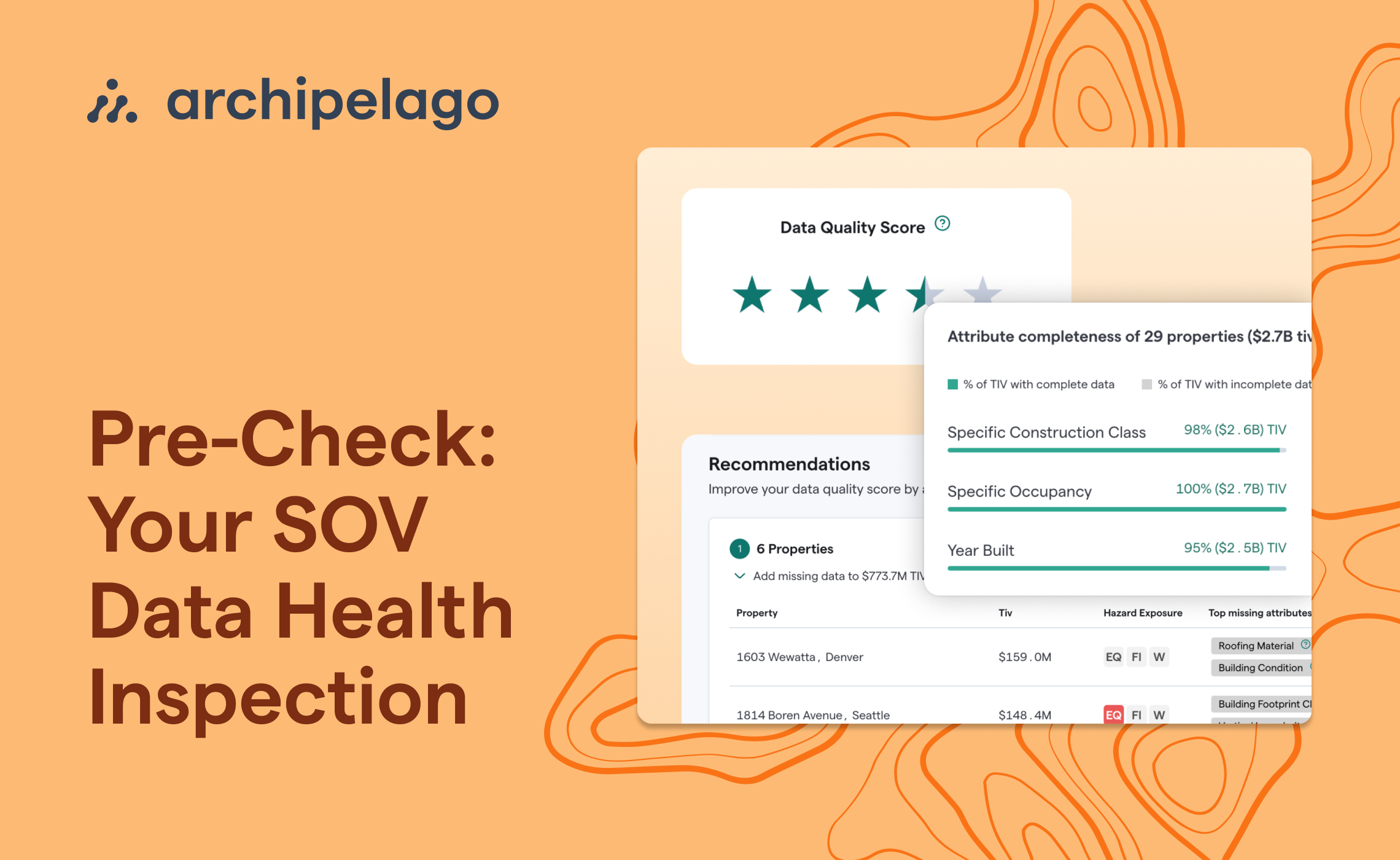
Archipelago’s Agent: Your SOV Data Health Inspection

COPE Data for Insurance: What It Is and How AI Identifies Gaps